Download ClashFX
Free download, start using immediately. Supports macOS 12 Monterey and later.
System Requirements
macOS 12+
Monterey, Ventura, Sonoma, Sequoia compatible
Apple Silicon
M1/M2/M3/M4 native, no Rosetta needed
Intel Support
Universal Binary for Intel Macs
mihomo Core
Powered by mihomo, Clash config compatible
Installation Steps
Three steps, one minute to get started.
Download DMG
Click the download button above to get the latest ClashFX.dmg installer.
Drag to Applications
Open the DMG and drag ClashFX to Applications. Allow it in System Settings on first launch.
Import Config
Launch ClashFX, import your subscription URL or local config file, and start using.
First Launch — macOS Security Prompt
ClashFX is not yet Apple-signed. macOS will show a security prompt on first launch — follow these steps to proceed.
This is standard for all unsigned macOS apps, not specific to ClashFX.
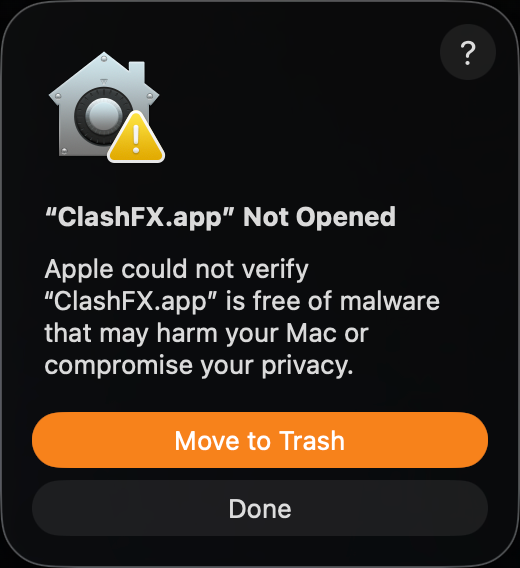
Open App — Security Warning
After dragging ClashFX.app into Applications, double-click to open. You'll see this dialog. This is normal — macOS shows this warning for all unsigned apps.
Click "Done" (don't click "Move to Trash")
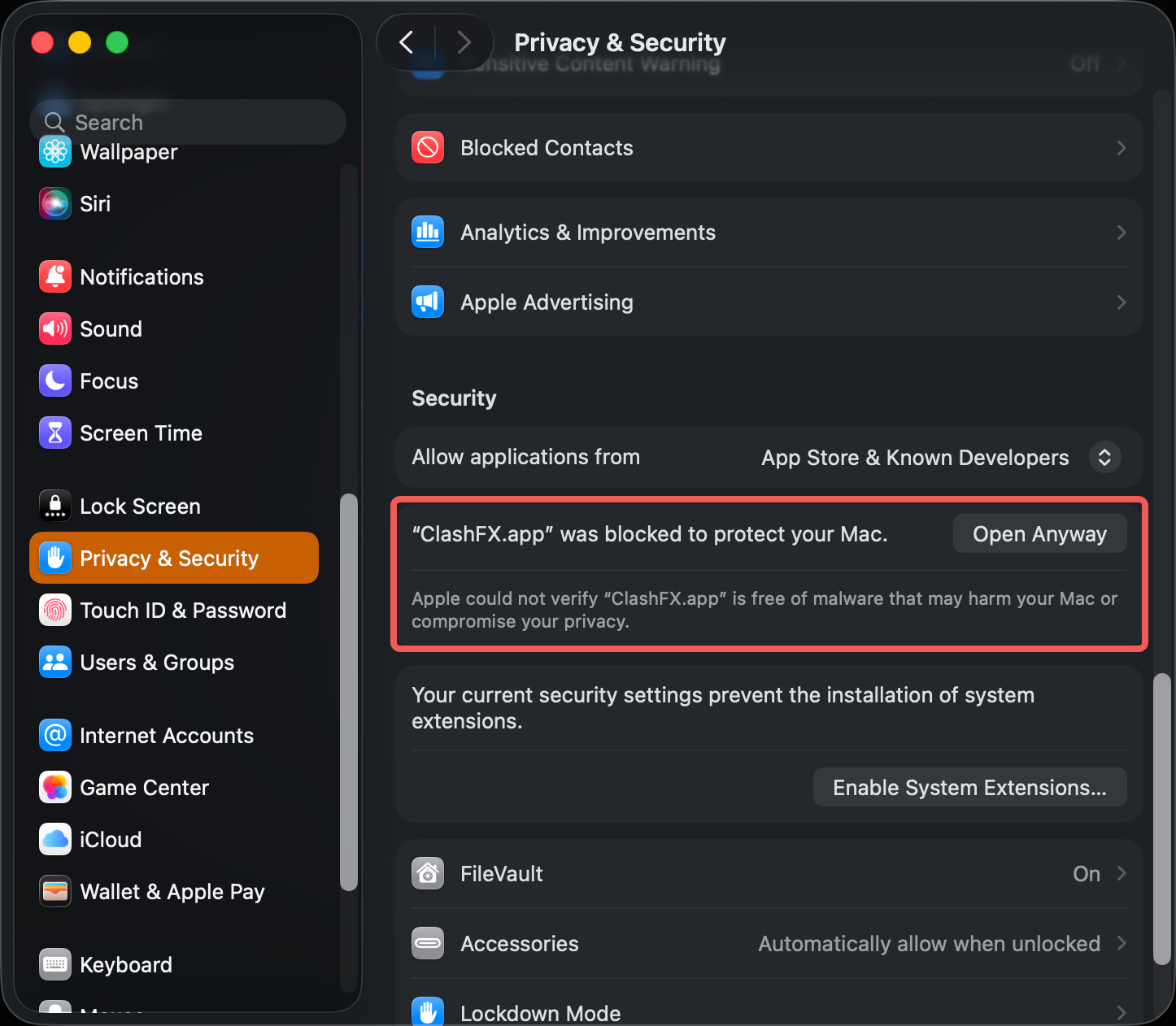
System Settings → Privacy & Security
Open System Settings → Privacy & Security, scroll down to the Security section. You'll see "ClashFX.app was blocked to protect your Mac".
Click "Open Anyway"
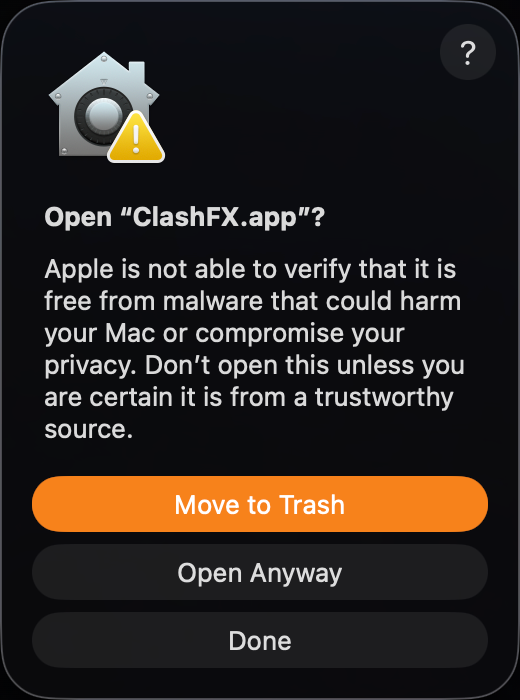
Confirm — Final Check
macOS will show one final confirmation dialog asking if you're sure you want to open ClashFX.
Click "Open Anyway"
You won't see this prompt again on subsequent launches.
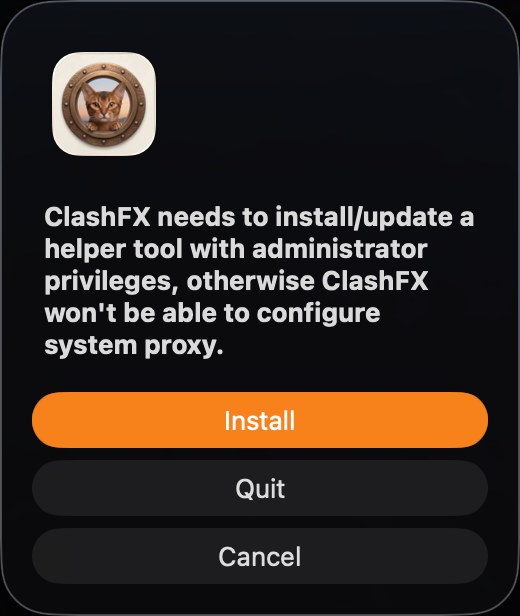
Install Helper
ClashFX needs to install a helper tool to configure system proxy. This is standard for proxy apps — system proxy won't work without it.
Click "Install" and enter your Mac password
Alternative: Terminal One-Liner
If you're comfortable with the terminal, skip steps 1-3 by removing the macOS quarantine flag:
sudo xattr -rd com.apple.quarantine /Applications/ClashFX.appEnter your Mac password when prompted, then double-click ClashFX to open directly.
Want a more powerful experience?
Upgrade to Pro for native panel mode, visual editor, and real-time traffic charts.